Security matters for every business, no matter the size. Whether you’re running a company from a shiny corporate office, a buzzing factory floor, or a sprawling warehouse, keeping track of who comes and goes—or what happens in different areas—just makes sense. Most businesses in Bangladesh now see CCTV cameras as a key part of their security setup.
But picking the right CCTV system isn’t always easy. There are tons of camera types, image resolutions, storage options, and smart features to think about. The camera that’s perfect for a small front office probably won’t cut it outside a busy warehouse.
The right choice hinges on what you want to keep an eye on, the level of detail you need to see, how long you need to store footage, and how you want the system to be managed.
Take a corporate office in Gulshan—they might need cameras in the lobby, hallways, and parking lot. A factory in Gazipur probably needs different cameras indoors and outdoors, all linked to a central control. Meanwhile, a warehouse in Chattogram has to factor in dust, humidity, and weather changes when choosing equipment.
This guide cuts through the jargon to help you choose CCTV cameras for business security in Bangladesh. It explains the main types, highlights must-have features, gives tips for where to install, covers storage and maintenance, talks budgeting, and lists key questions for your supplier.
Whether you’re getting cameras for the first time or upgrading an older system, this guide helps you make a smarter decision.
What Are the Best CCTV Cameras for Corporate Security in Bangladesh?
The best CCTV camera is the one that gives you clear images, reliable recording, the right coverage, and sensible costs for your needs. There’s no one-size-fits-all answer.
In many medium and large companies, network-based IP cameras stand out—they offer centralized recording, flexible layouts, and room to grow. On the other hand, if you already have analog cables and equipment in place, traditional HD analog cameras might make sense and save money.
| Business requirement | CCTV option to consider |
| Corporate office reception and corridors | Indoor dome or turret camera |
| Main entrance and outdoor gate | Weather-resistant bullet or turret camera |
| Large parking area or industrial yard | Suitable fixed cameras or PTZ cameras |
| Warehouse storage and loading areas | IP cameras selected for coverage and lighting conditions |
| High-detail monitoring at selected points | Higher-resolution camera with a suitable lens |
| Existing analogue CCTV system | Compatible replacement cameras or a planned system upgrade |
| Multi-building corporate facility | Network-based system with centralised or coordinated recording |
| Low-light outdoor areas | Camera with suitable low-light performance and appropriate lighting |
Bottom line, these are just starting points. The right system should be picked after seeing your site, reviewing your goals, and figuring out your recording needs.
Why Do Businesses in Bangladesh Need a Proper CCTV System?
The risks a business faces depend on what it does and where it’s located. A good CCTV system isn’t just about security—it helps manage staff, review incidents, and even keep an eye on daily operations. But you only get these benefits when the cameras, recording, and access controls are thought out carefully.
- Keeping an Eye on Entrances and Exits
Main gates, reception areas, entrances—these are classic camera spots. Good placement helps track who comes and goes, following privacy and security rules for the site. You want the camera to catch action without missing angles that matter. - Protecting Inventory and Assets
Factories, warehouses, and shops can hold everything from raw materials to high-value goods. By placing cameras at key points, you can review what happened if something goes missing or there’s a problem. The trick isn’t just to put up as many cameras as you can—it’s to cover the actual risks. - Enhancing Workplace Security
CCTV helps security teams monitor shared areas, vehicle entries, and special zones. It backs up things like gate control, visitor logs, and staff checks. Cameras aren’t magic, though—they’re one part of a larger security puzzle. - Reviewing Incidents
If something happens, video footage lets authorized staff dig into events, check the timeline, and see exactly what took place. But this only works if the cameras caught useful footage, recordings were working, and you can actually find the clips. That’s why recording quality and storage matter as much as picking the right camera. - Managing Multiple Locations
If your business runs in a few cities—Dhaka, Chattogram, Sylhet, Rajshahi, or others—it’s handy to coordinate all your surveillance from a central spot. With the right gear and networking, authorized staff can check footage from several places.
Just be sure to control who gets access, especially when different branches handle their own security.
Step 1: Decide What Needs to Be Monitored
Start by listing out all the spots you want to keep tabs on. That’s step one, and it shapes everything—from the kind of cameras to the image quality, angles, and storage you’ll need.
Corporate Offices
For offices, security usually means watching:
• Main entrances and reception
• Corridors and shared areas
• Server or equipment rooms
• Parking lots and vehicle entry points
• Loading docks or delivery areas
• Other risky spots found in a security check
Don’t put cameras where people expect privacy—so, skip bathrooms and changing rooms.
Factories and Industrial Sites
Factories need cameras for:
• Main gates and visitor entry
• Production access points
• Storage and dispatch zones
• Loading/unloading areas
• Critical machinery or utility rooms
• Internal roads and perimeter access
Design the setup to deal with dust, vibrations, heat, odd lighting, and any other local quirks.
Warehouses and Distribution Centers
Warehouses focus on doors, inventory sections, loading bays, vehicle routes, and loading areas. A wide-angle view is great for general coverage, but it might not show someone’s face or read a label clearly when zoomed out. Strike a balance between wide views and getting detail where it counts.
Commercial Buildings and Shopping Centers
These usually need cameras at entrances, reception points, parking, corridors, service doors, and shared spaces. Decide who gets to see footage, and how recordings are managed when things happen.
Hospitals and Schools
Healthcare and education facilities use cameras at main entries, public hallways, receptions, and outside areas. Because there are privacy concerns, pay close attention to where cameras go, who can view recordings, how long footage is kept, and your internal rules.
Step 2: Choose the Right Type of CCTV Camera
Not all camera designs do the same thing—knowing your options helps.
Dome Cameras
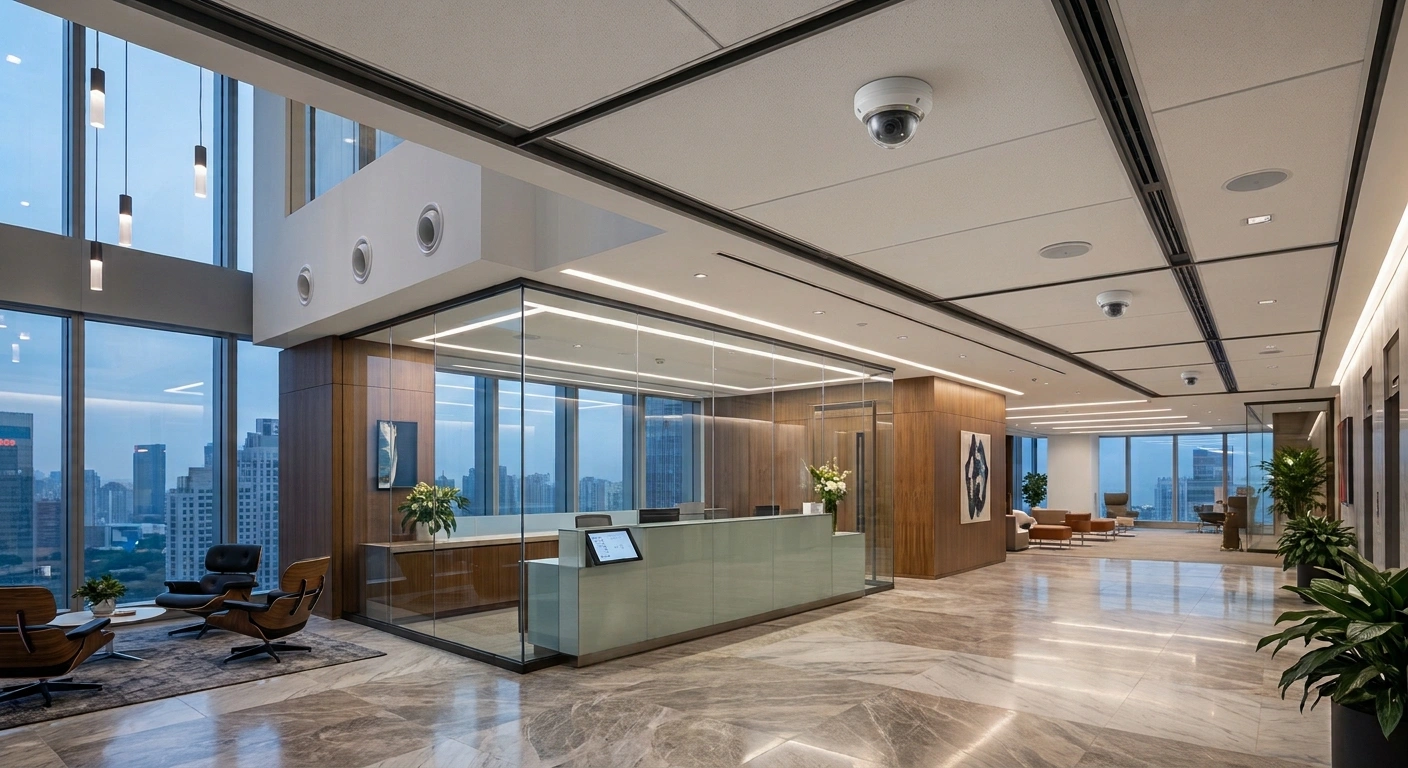
They’re rounded and typically go on ceilings. Good for offices, receptions, hallways, and indoor spots. Use dome cameras if you want a discreet look indoors, need coverage for corridors or lobbies, and have the right angle and environment. Just remember—the dome shape doesn’t mean it’s vandal-proof. Check the actual specs.
Turret Cameras
These have a ball-shaped lens in a base and can be used inside or out. Install them where you need to tweak the angle, want fixed coverage, need good night vision, and the environment matches the model’s specs. The image quality comes from the sensor and lens, not just the camera’s shape.
Bullet Cameras
Long and noticeable, you’ll often find them outdoors covering gates, lot edges, and roads. Choose a bullet camera for outdoor entrances, specific sight lines, or if you want a camera everyone can see. For Bangladesh’s outdoor sites, double-check it’s weatherproof and holds up in local conditions.
PTZ Cameras
PTZ means pan, tilt, and zoom. They can scan back and forth, up and down, and zoom closer. Good for monitoring large areas, like yards or factories, especially if someone’s actively watching and controlling the camera. Remember, they can “look away” while something happens, so don’t rely on PTZ alone for entrances or critical points.
Panoramic or Multi-Sensor Cameras
These cover a wide view, sometimes using multiple lenses. Useful in big lobbies or open spaces, but check how they record and display video. Wide shots might miss the detail you get with a few well-placed regular cameras.
Step 3: Understand IP vs Analog Cameras
A big call is picking between modern IP cameras or old-school analog systems.
IP Cameras
These digital cameras send video over a network cable (or Wi-Fi for some), often managed by a network video recorder (NVR). They can handle higher resolutions, smarter features, and make it easier to add more cameras later.
Analog Cameras
They use coaxial cables and connect to a digital video recorder (DVR). This might make sense for small setups or when you already have the wiring and want to upgrade just the cameras.
Before switching out cameras, make sure the new ones work with your DVR and cabling.
Should You Go IP or Analog?
Here’s a quick look:
Feature IP System Analog HD System
Connection Network cable Coaxial cable
Recorder Usually NVR Usually DVR
Expansion Easier to add cameras Might be limited by DVR
Power Often PoE (power over Ethernet) Needs separate power
Smart features Varies by model Varies by model
Old wiring Needs network wiring Easy with existing coaxial cables
Best for New setups, need flexibility Upgrades where wires already exist
For a new system with lots of cameras and growth in mind, go IP. If you already have analog cables and want to save cash, stick with HD analog upgrades. It all comes down to your budget, recording needs, future plans, and what you’ve got on site.
Step 4: Pick the Right Camera Resolution
Resolution means how much detail the camera captures—measured in megapixels (MP). A higher MP doesn’t guarantee clear images in every situation. Lens quality, lighting, placement, and settings also play a big part.
2MP Cameras
Good enough for simple monitoring where fine detail isn’t a must.
4MP Cameras
Gives more detail, which helps in most office, warehouse, or shop settings.
5MP and 8MP Cameras
Use these for entrances, big areas, or places where you need crisp images from far away. But keep in mind, higher resolution gobbles up more storage and bandwidth.
What’s the Right Resolution?
It really depends. Figure out what detail you need—ask suppliers to show you sample footage from the exact spot you’ll install each camera. Chasing the biggest megapixel number isn’t always better.
Step 5: Night Vision and Low-Light Checks
A lot happens after hours—or in dim corners. For that, your camera’s night vision matters.
Infrared (IR) Night Vision
These cameras light up the scene with invisible IR, giving you black-and-white images in the dark. Don’t take their “range” numbers at face value—real-world results vary with things like weather, reflections, and the lens.
Color Night Vision
Some models show color in low light if there’s enough visible light, or use built-in lights. Test what works for your area and consider if extra lighting is okay for staff and visitors.
Night-Time Checklist:
• How dark does it get?
• Do headlights mess up the image?
• Is there outdoor lighting?
• Do you need color or is black-and-white fine?
• Will the right details actually show up?
If you run a factory in Gazipur or a warehouse in Chattogram, always try to test new cameras in the real setting first.
Step 6: Weather Protection Matters in Bangladesh
Outdoor cameras need to handle tough conditions. Bangladesh has hard rain, humidity, heat, dust, and sometimes corrosive air—especially near the coast.
Check the IP Rating
IP ratings show the camera’s protection against dust and water. For instance, IP66 is good for most outdoor spots, but still check the full install—from cables to mounts.
Check for corrosion resistance, especially in humid or salty environments like Chattogram.
Pick the Right Spot
Even tough cameras can fail if badly mounted or if water pools around them. Use the right installation gear and follow the maker’s advice.
Step 7: Choose the Recording System—DVR or NVR
If you want to review footage later, the cameras need a recorder.
DVR
Digital Video Recorder—used with analog cameras. Plug in the video signal and it saves footage to a hard drive. Handy for existing analog setups.
NVR
Network Video Recorder—works with IP cameras. Supports different resolutions, schedules, and smart features. For new IP systems, check how many cameras, max resolution, storage space, and overall compatibility before you buy.
Pick the system that matches your number of cameras, image needs, storage time, and any future expansions—don’t treat it as an afterthought. Also check how easy it is for staff to find and export clips when needed.
Step 8: Figure Out Storage Needs
How long do you want to keep footage? Storage affects how many recordings you can keep before old ones get erased or you run out of space.
The amount you’ll need depends on:
• Number of cameras
• Video resolution
• Frame rate
• Compression
• Scene activity
• Recording hours
• How many days to keep
How Long Should You Keep Recordings?
It depends on your business, local rules, and contracts. A small office may only need a week’s storage; a busy warehouse or factory might want a month or more. Decide how long you need and why—then size your storage.
A Simple Storage Planning Example
Let’s say a business has 16 cameras and wants to keep recordings for 30 days. The installer needs to figure out how much data each camera will send based on the settings, then add it up for the total storage needed.
The design also has to think about recorder limits, usable drive space, and leave a bit of margin for unexpected changes. The real outcome varies a lot depending on video settings and how much footage is actually recorded, so there’s no one-size-fits-all hard drive for every 16-camera system.
Use Surveillance-Suitable Hard Drives
Continuous recording stresses a hard drive way more than regular desktop use. Choose storage drives that are made for surveillance workloads and approved by the recorder’s manufacturer. For business systems, also decide how storage issues will be spotted and how quickly a failed drive could be swapped out.
Step 9: Decide Whether Your Business Needs Remote Monitoring
Remote monitoring lets authorised users view live feeds or recorded video from somewhere else. Depending on the setup, this could be through a mobile app, desktop software, or a central platform.
For a business with offices in Dhaka and Chattogram, remote access means a security manager can check sites without traveling to each one. But you’ve got to configure remote monitoring securely.
Important Remote-Access Considerations
- Change default passwords before going live.
- Set unique credentials for each user.
- Enable multi-factor authentication if it’s available.
- Update camera and recorder firmware regularly.
- Limit access according to what each user needs to do.
- Don’t put camera or recorder services straight on the internet without proper security.
- Watch access logs and remove unused accounts.
Never give administrator access to every employee just because they need to view a camera. A well-managed system should make it easy to grant the right level of access without handing over total control.
Step 10: Understand Smart CCTV Features
Modern CCTV systems often do more than just record video. How useful these extras are depends on your business, the equipment, and how you set things up.
Motion Detection
Motion detection spots changes and can trigger recordings or alerts. Basic motion detection might annoy you with false alarms from trees, light changes, or random movement. Good placement and proper settings help cut down those extra alerts.
Human and Vehicle Detection
Some cameras and systems can tell the difference between people or vehicles and other movement. These features can help reduce useless alerts, but their accuracy depends on the equipment, how it’s installed, what’s in view, and your settings. Don’t assume the system will never miss something.
Intrusion and Line-Crossing Alerts
Certain setups can alert staff if someone crosses a defined line or enters a set area. Useful at gates, access points, or outdoors. Always test alerts in real conditions to be sure they work and don’t trigger too often for no reason.
People Counting and Other Analytics
Some cameras offer people counting or other types of analysis. Before buying, check what the equipment really supports, if you need extra licenses, and if it fits the purpose. If analytics might identify or analyse people, make sure you check privacy issues and local requirements before turning them on.
Step 11: Plan Camera Placement to Reduce Blind Spots
Where you put cameras matters way more than which model you pick. A well-placed camera catches what you need, clearly. A bad location could mean high-res footage that’s useless for reviewing incidents.
Identify Important Viewing Points
Mark out locations for cameras: entrances, gates, delivery areas, corridors, storage points, and other spots from your risk assessment.
Consider the Viewing Angle
Wide-angle cameras cover more space but shrink objects and people. More zoomed-in views focus on detail but miss the surroundings. Choose lenses and mounting spots based on what you need from each camera.
Check Lighting and Glare
Don’t put cameras where sunlight, headlights, shiny surfaces, or strong backlighting ruin the details. Test day and night views when you can.
Avoid Unnecessary Overlap
A little overlap between cameras is useful at key entrances and access points. But too much overlap bumps up your costs without improving coverage. Tailor the layout to your site for the best balance.
Step 12: Choose a Reliable CCTV Brand and Supplier
Corporate buyers should look at the whole system, not just pick gear by brand name. Hikvision, Dahua, and Uniview are some common CCTV makers; suitability depends on the specific model, compatibility, features, warranty, and support.
What Should You Check Before Buying?
Product authenticity: Make sure you’re getting the right equipment from a trusted channel, matching the quote.
Warranty: Ask about what’s covered, how long it lasts, and where it’s serviced.
Compatibility: Confirm cameras, recorder, software, storage, network, and power all work together.
Firmware and security support: Look into how updates are delivered and how long the supplier will back your model.
Local after-sales service: Find out if they support your area.
Documentation: Collect model numbers, specs, bill of materials, warranty info, and system config.
For bigger installations, written documentation is important—you might need it for maintenance or upgrades years later.
Step 13: Plan CCTV Installation for Corporate Facilities
Professional installation isn’t just sticking cameras onto walls. Good planning covers placement, cabling, recording gear, network, access control, and testing.
Step 1: Conduct a Site Survey
Installer checks the property, picks viewing points, finds mounting options, and works out cable routes and environmental concerns.
Step 2: Prepare a Camera Layout
Make a layout showing camera locations, what they’ll see, and places needing extra coverage.
Step 3: Confirm Equipment Compatibility
Check cameras, recorders, storage, power supplies, network parts, and accessories are all matched to the design.
Step 4: Install Cables and Mounting Hardware
Cables must suit the environment and be installed safely. Outdoor connections need weatherproofing. Qualified personnel should do the job safely.
Step 5: Configure the Recorder
Installer sets up recording schedule, system time, user accounts, storage, and other settings.
Step 6: Set Up Secure Remote Access
If you’re using remote monitoring, set it up with the right security and permissions.
Step 7: Test Every Camera
Make sure each camera gives a useful view in the right lighting and that recording and playback work.
Step 8: Provide Handover Documentation
Business gets a list of cameras, device details, instructions, warranty info, and maintenance records. The handover should explain who can access recordings and how to get support.
Step 14: Understand CCTV Installation Costs in Bangladesh
Corporate CCTV costs in Bangladesh depend on project size, gear choices, installation conditions, and recording needs. There’s no set price for every office, factory, or warehouse.
Main Factors That Affect Cost
Number of cameras: Bigger sites need more gear and installation.
Camera specs: Resolution, lens, low-light performance, protection, and features all add to cost.
Recording system: DVR/NVR capacity and features matter.
Storage capacity: More days or higher data rates mean more storage.
Cabling/network: Length, switches, conduits, accessories, and requirements add up.
Mounting/access: High ceilings, tricky mounting, outdoor poles, or special access drive up labor costs.
Remote monitoring: Network and security add to scope.
Warranty/maintenance: Service agreements, replacement, and support need consideration.
How to Request an Accurate Quotation
Before you ask for a quote, prep this info:
- Facility type and location.
- Approximate camera number, if you know it.
- Areas to monitor.
- Whether it’s new or an upgrade.
- Needed retention time for recordings.
- Remote monitoring needs.
- Any special environmental or operational notes.
- Expected warranty and maintenance.
Ask for a detailed quote listing equipment, installation, storage, accessories, warranty, and service costs. Makes comparing offers so much easier.
Step 15: Plan CCTV Maintenance and System Health Checks
CCTV systems need regular checks to make sure cameras are working, footage is saved, and authorised users can get what they need. Sometimes a camera’s online but producing bad images, pointed the wrong way, or not recording.
Clean and Inspect Cameras
Check housings and lenses every so often. Dust, water spots, insects, or grime can mess up image quality. Clean following manufacturer instructions.
Check Recording and Playback
Make sure footage is being recorded and played back. If your system warns about storage health, monitor those alerts.
Check Camera Views
Review critical camera views for changes—angles, obstructions, lighting issues, or gaps in coverage.
Review User Access
Remove old or unnecessary accounts and update permissions from time to time. Change passwords and security settings when needed.
Update Equipment Securely
Apply firmware and software updates per manufacturer guidance and your organization’s policy. Plan updates carefully, especially for business-critical systems.
Maintain a Service Register
Log camera locations, models, install dates, faults, repairs, and maintenance. This helps facility managers plan service and replacements.
CCTV Privacy and Responsible Use in Bangladesh
CCTV cameras may record employees, visitors, customers, delivery people, and others. Businesses must think about privacy and data handling when designing surveillance.
Before installation, define why each camera’s needed and check if the goal can be reached with less intrusive monitoring.
Good Practices for Corporate CCTV
- Only install cameras where there’s a clear, legitimate purpose.
- Don’t monitor private spaces like toilets or changing rooms.
- Use visible notices where necessary to inform about CCTV.
- Restrict access to footage.
- Make a clear policy for viewing, sharing, and deleting recordings.
- Keep footage only as long as it’s needed.
- Protect equipment and accounts from unauthorized use.
- Review locations and practices regularly.
Check privacy, data protection, employment, and legal requirements for Bangladesh before you roll out surveillance. CCTV isn’t permission to record everything or keep all footage forever.
Best CCTV Camera Applications Across Major Cities in Bangladesh
The ideal CCTV setup depends on the facility and how it operates. Here’s how buyers can approach different locations:
Dhaka: Corporate Offices and Commercial Buildings
In Dhaka, surveillance is needed at entrances, receptions, corridors, parking, and key service spaces. For properties in Gulshan, Banani, Motijheel, Uttara, and Tejgaon, consider layout, lighting, network, and centralized monitoring. Test for shadows and glare from nearby buildings.
Chattogram: Warehouses and Industrial Facilities
Chattogram businesses often need CCTV for warehouses, logistics, commercial, and industrial sites. Outdoor cameras must handle local humidity and rain. Big sites may use both fixed and PTZ cameras, depending on monitoring needs.
Gazipur and Narayanganj: Factories and Manufacturing Facilities
Factories need coverage for gates, dispatch, storage, key production points, and internal roads. Site survey should factor dust, lighting, movement, mounting spots, and each area’s recording needs. Layout should follow your risk assessment, not just a standard camera count.
Sylhet: Commercial Buildings and Business Facilities
Offices, hotels, commercial properties, and warehouses in Sylhet need indoor and outdoor cameras tailored to layout. Include weather protection, night lighting, storage, and after-sales support in your buying checklist.
Rajshahi and Khulna: Offices, Warehouses, and Industrial Sites
In Rajshahi and Khulna, start planning with the facility’s purpose, key access points, lighting, and recording period. Outdoor installs should use locally-suitable equipment and mounting.
Cumilla, Mymensingh, Rangpur, and Barishal
Businesses here can use the same planning principles for factories, offices, warehouses, and commercial spaces. Confirm the supplier offers installation, warranty, and maintenance at your project location.
Frequently Asked Questions About Corporate CCTV Cameras in Bangladesh
- Which CCTV camera is best for corporate security in Bangladesh?
The right camera depends on location and monitoring needs. Dome or turret cameras work for indoor offices. Bullet or turret cameras are good outdoors. Large yards might mix fixed and PTZ cameras. A site survey helps pick the models. - Are IP cameras better than analogue CCTV cameras?
IP cameras bring flexibility and are good for new systems. Analogue HD cams work well if you already have compatible cabling and gear. The best choice depends on price, compatibility, image demands, and future growth. - What CCTV resolution suits an office?
Resolution depends on distance, lighting, lens, and detail needed. 2MP may be enough for general views; 4MP or higher is better elsewhere. High resolution doesn’t always mean clear identification. - Which CCTV camera is suitable for a factory?
Factories need a mix: indoor, weather-resistant outdoor, plus special cameras for big areas. Plan for production access, storage, dispatch, lighting, dust, and security. - Are Hikvision and Dahua cameras suitable for corporate use?
Yes, as long as the model fits the need. Check authenticity, compatibility, updates, warranty, and local support before buying. - How many CCTV cameras does a corporate office need?
No fixed number—it depends on layout, viewing points, privacy, and detail needed. Site survey and layout beat picking a number by floor area. - How many days of CCTV footage should a business store?
Depends on security needs, legal requirements, and company policy. Calculate storage from camera count, settings, data rate, and retention period. - Can corporate CCTV cameras be monitored remotely?
Most systems support remote monitoring—mobile apps, desktop software, or central platforms. Secure setup, strong authentication, user permissions, and regular maintenance matter. - Can CCTV cameras record clearly at night?
Many cameras have infrared night vision or low-light color. Real performance depends on lighting, specs, position, lens, and environment. Always test night views. - What’s the difference between DVR and NVR?
DVR records video from analogue CCTV cameras. NVR handles network cameras. Pick based on your camera system and needs. - Are outdoor CCTV cameras good for Bangladesh’s rainy weather?
Models with proper protection work outdoors if installed right. Check specs, protect cables, and use the right mounting for your site. - How much does a corporate CCTV system cost in Bangladesh?
Depends on camera count, specs, recording, storage, cabling, installation, and support. Get an itemised quote after a site survey—it’s the best way to estimate cost.
- Do businesses need professional CCTV installation?
Getting a professional to install your CCTV system really helps. They’ll sort out proper camera placement, tidy up the cables, make sure all the parts work together, set up the recording properly, secure remote access, and test everything. This kind of help is really important, especially for larger setups or if your business relies on its security system. - How often should CCTV systems be maintained?
Maintenance depends on your gear, where it’s installed, and how you use it. It’s smart to set a regular schedule. That means checking your camera angles, making sure everything’s recording, checking storage health, who can access what, and the overall condition of your equipment. - Can one CCTV system cover multiple corporate branches?
Some CCTV systems let you manage multiple locations from one place. Whether this works depends on your network, if your recorders are compatible, your bandwidth, access permissions, and what your organisation needs for security. - What should a business check before buying CCTV cameras?
Look at what space you want to cover, what resolution you need, the lens, how well the camera works at night, if it’s weatherproof, if it works with your recorder, how much storage you’ll need, remote access safety, warranty, and after-sales support. Get all your requirements in writing, so you don’t miss anything important. - Can CCTV cameras monitor employees?
CCTV can be used for workplace security, but you should always think about privacy. Be careful about where you put the cameras, be open with your staff, control who can use the footage, and follow all legal rules. Never put cameras in private areas just for the sake of it. - Where can businesses get CCTV installation in Bangladesh?
Look for security system suppliers and installation providers who work in your area. Before you buy, check that they have the right skills, can actually supply the needed products, cover installation, offer a decent warranty, and provide after-sales support.
How to Get Started with a Corporate CCTV Project
Starting a new CCTV project, or upgrading what you already have? First, figure out exactly which areas you need to watch and what level of detail is necessary.
Gather these details before you contact a supplier:
- Project location: City, neighborhood, and site address.
- Facility type: Office, factory, warehouse, commercial building, or something else.
- Monitoring areas: Entrances, parking, storage, corridors, or other key places.
- Existing equipment: Any current cameras, DVRs, NVRs, cables, or networking gear that you might keep using.
- Recording requirements: How many days of footage you want to store.
- Remote access: Does anyone need to view footage from offsite?
- Environmental conditions: Indoor/outdoor, light, dust, humidity, and so on.
- Support requirements: Installation, training, warranty, maintenance, and whether you plan to expand later.
Ask your supplier for a proposal tailored to your site. That should include camera models, layout, recorder details, storage requirements, what’s included in installation, and warranty info.
This way, your team can compare real options and pick a CCTV system that fits your business, not just whatever the marketing says.
Conclusion
Choosing the right CCTV cameras for your business in Bangladesh really starts with knowing what you want to keep an eye on.
Each place—whether it’s an office, factory, warehouse, or commercial building—needs something different. Some need crystal-clear views of entrances and reception, while others need to cover big loading docks, storage, or outside areas.
The best system is a balance: camera type, picture clarity, night vision, storage for recordings, a good installation, secure access, and ongoing support.
If your business is in Dhaka, Chattogram, Gazipur, Narayanganj, Sylhet, Rajshahi, Khulna, or anywhere else, it’s a good idea to start with a site survey. That’s the best way to pick a solution that actually fits.
Don’t just rely on megapixels, price, or brand names. Make sure you really know what needs monitoring, double-check the gear is compatible, ensure you have the recording time you need, and confirm the supplier’s support and warranty.
A well-designed CCTV system helps you monitor security, review incidents, and makes your business easier to manage.
Planning a CCTV project for your office, warehouse, factory, or commercial space? List your site’s needs and ask a qualified CCTV provider for a thorough assessment and detailed quote. It’s the smartest way to start.